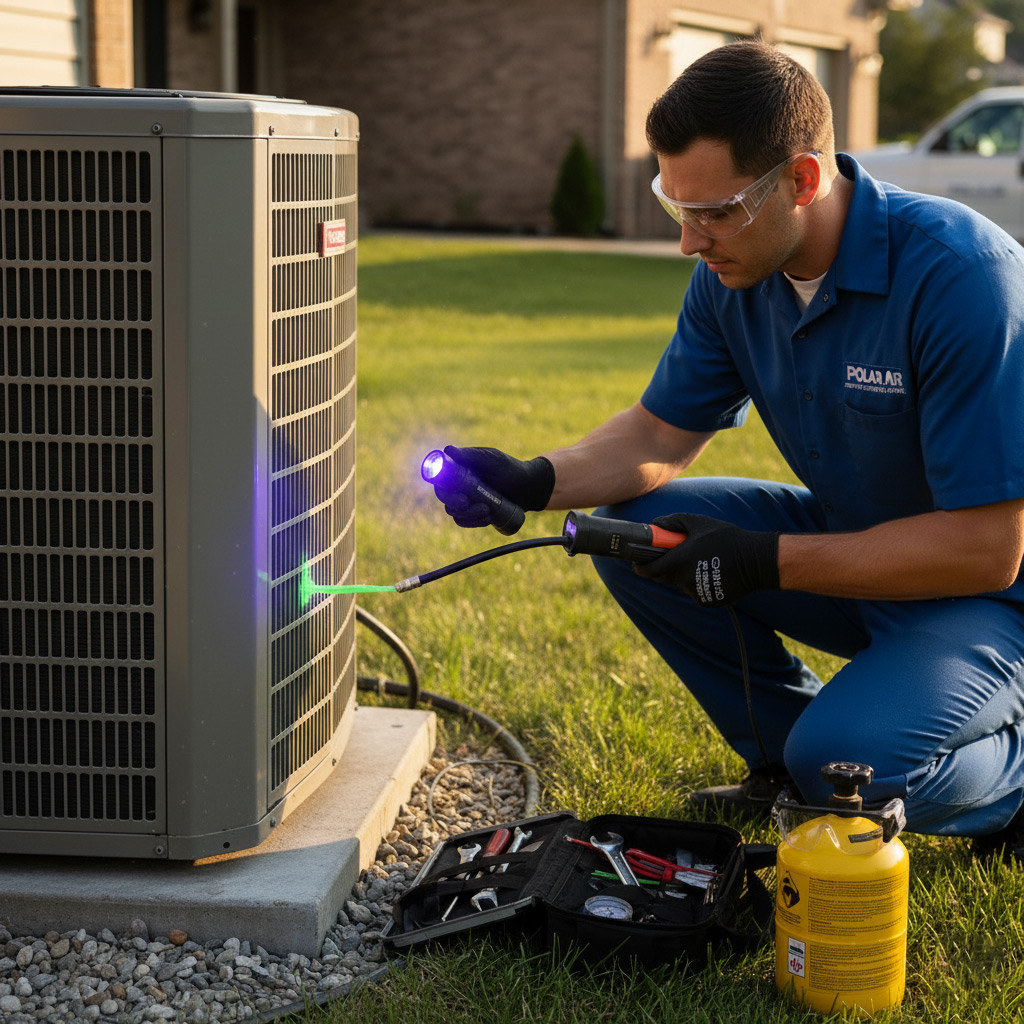
Picture this: your AC runs all summer long, whisper‑quiet, never coughing up a freeze‑frame when the heat spikes to 95°F. That’s not a fantasy—it’s what happens when you treat your system like a prized asset instead of a disposable gadget.
In Akron’s humid climate, a neglected unit can turn into a money‑draining nightmare faster than you can say “heat wave.” Simple habits—like swapping filters on schedule and keeping the outdoor coil clear of leaves—can add years to your AC’s lifespan and keep your energy bills in check.
Ready to discover the insider tricks that HVAC pros use to keep their units humming for a decade or more? Keep reading, and you’ll learn the exact steps to protect your investment and stay cool all season long.
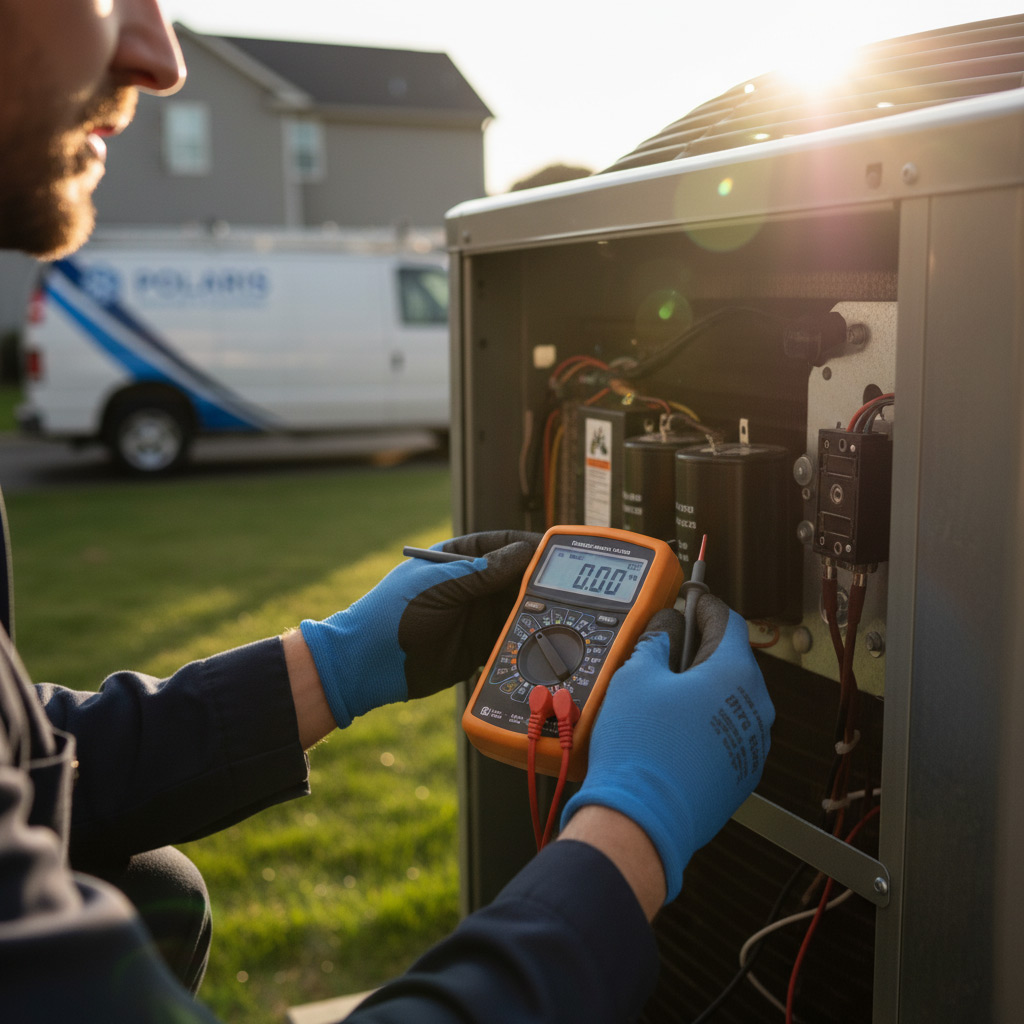
Understanding Your AC’s Core Components and Expected Lifespan
Key Parts That Keep Your Home Cool
The heart of any air‑conditioner is the compressor, which pumps refrigerant through a closed loop. Without it, the whole system stalls. The condenser coil releases heat outside, while the evaporator coil absorbs indoor heat. A blower motor pushes air across both coils, and the thermostat tells the whole crew when to kick in.
- Compressor – the pump that circulates refrigerant.
- Condenser coil – dumps heat to the yard.
- Evaporator coil – pulls heat from your living space.
- Blower motor – moves air through the ducts.
- Thermostat – the brain that decides when to run.
Typical Lifespan in Akron’s Climate
Most residential units last between 10 and 15 years if you treat them right. Anything less than a decade usually means neglect or a harsh environment.
- Frequent cycling in hot, humid summers speeds wear.
- Skipping filter changes clogs the blower and forces the compressor to work harder.
- Corrosion from rain, snow, and road salt can eat away at the outdoor coil.
When to Expect a Replacement
If you hear rattling, notice uneven cooling, or see the unit running nonstop, it’s a red flag. Don’t wait for a total breakdown. Spotting these signs early can save you from a costly emergency call and help you plan a timely upgrade.
Seasonal Maintenance Checklist for Akron Homeowners
Spring Sprint
When the snow melts, give your AC a quick health check before the heat cranks up. A clean start means fewer surprise breakdowns when July hits.
- Inspect the outdoor coil for debris, twigs, or pollen buildup.
- Check the refrigerant lines for visible cracks or corrosion.
- Test the thermostat for accurate temperature readings; recalibrate if needed.
Summer Shield
Mid‑season is the perfect time to tighten loose screws and verify airflow. A well‑tuned system runs cooler and costs less.
- Replace or clean the air filter every 30‑45 days – don’t wait for the dust to pile up.
- Run the fan‑only mode for 10 minutes each week to keep the motor lubricated.
- Listen for odd noises; rattles or squeals often signal a failing bearing.
Fall Wrap‑Up
Before the leaves start falling, give your unit a final once‑over to protect it through winter. A little effort now saves a costly service call later.
- Shut off the power and cover the outdoor unit with a breathable tarp.
- Clear the condensate drain line; a clogged line can freeze and crack.
- Schedule a professional tune‑up to verify refrigerant charge and electrical connections.

Optimizing Airflow: Filter Replacement, Duct Cleaning, and Fan Care
Good airflow is the lifeblood of any AC. When air moves freely, the compressor doesn’t have to work overtime, and you shave dollars off your utility bill.
Filter Replacement – The First Line of Defense
Every 30‑45 days, pull the filter out and give it a once‑over. A clogged filter is the fastest way to choke your system.
- Check the frame for damage before you slide a new filter in.
- Use a high‑efficiency pleated filter for homes with pets or allergies.
- Mark the replacement date on your calendar – treat it like a dentist appointment.
Duct Cleaning – Clear the Path
Dust, pollen, and the occasional squirrel nest love to set up shop in your ducts. Clean ducts keep the air fresh and the blower motor happy.
- Schedule a professional inspection every 3‑4 years.
- If you notice musty smells or uneven cooling, it’s time to act.
- Seal any visible gaps with mastic tape to prevent leaks.
Fan Care – Keep the Spin Smooth
The indoor fan motor is the workhorse that pushes air through the whole house. A little TLC goes a long way.
- Turn off power, then wipe the blades with a damp cloth.
- Lubricate the motor bearings with a few drops of non‑oil silicone spray.
- Listen for rattles; a loose fan blade can cause premature wear.
Protecting the Outdoor Unit: Coil Cleaning, Vegetation Management, and Weatherproofing
Think of the outdoor condenser as the heart of your AC. If it’s clogged or exposed, the whole system works harder, burns out faster, and spikes your electric bill.
Coil Cleaning – Keep the Heat Out
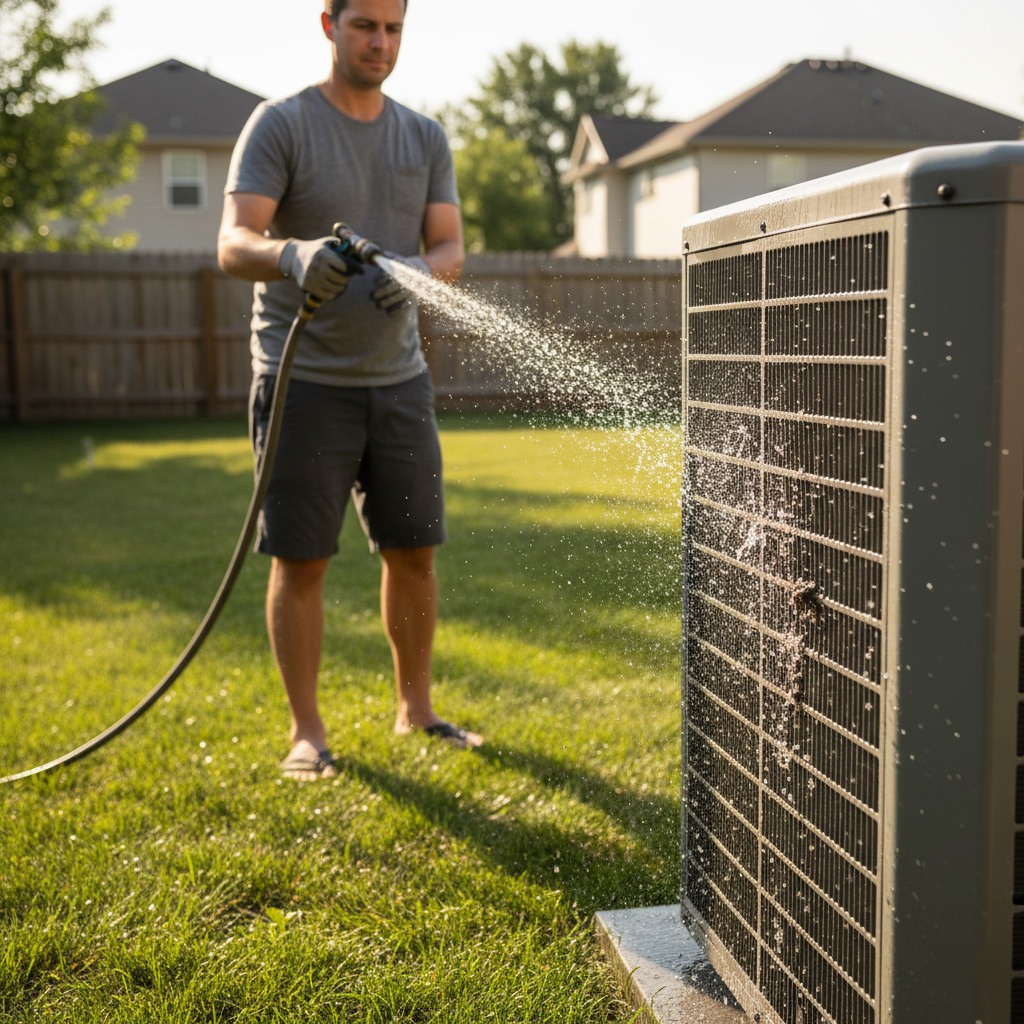
Every spring, grab a garden hose and a soft brush. Spray the fins from the inside out, then rinse gently. Don’t use a pressure washer—it can bend the delicate aluminum.
- Turn off power at the breaker before you start.
- Remove debris with a fin comb; it’s cheap and saves you a callout.
- Apply a no‑rinse coil cleaner if the grime is stubborn.
Clean coils run cooler, which means the compressor doesn’t overheat. Cooler operation = longer life.
Vegetation Management – Give It Space to Breathe
Plants love shade, but your unit needs airflow. Trim shrubs at least 2 feet away. Keep the ground clear of leaves, pine needles, and mulch that can trap moisture.
- Schedule a quick yard walk‑around after each storm.
- Use a broom to sweep away fallen debris before it builds up.
- Consider a low‑profile fence to keep curious pets and kids out.
When the unit isn’t fighting a jungle, it runs smoother and lasts longer.
Weatherproofing – Shield It From Akron’s Extremes
Winter in Akron can be brutal. Cover the condenser with a breathable, UV‑stable tarp when the temperature drops below 40°F. Remove the cover before the first thaw.
- Seal any gaps around the unit with weather‑resistant caulk.
- Check the drainage pan for cracks; a simple epoxy fix prevents rust.
- Inspect the fan motor’s bearings and lubricate if needed.
These small steps keep rain, snow, and grit from eating away at the metal. Your AC will thank you with years of reliable cooling.
Smart Thermostat Settings and Energy‑Saving Practices
Think of a smart thermostat as the brain behind your AC. It learns when you’re home, when you’re out, and adjusts the cooling power without you lifting a finger. Proper programming can shave off dozens of dollars from your electric bill while keeping the house comfortable.
Set It and Forget It
Start with a simple schedule that mirrors your daily rhythm. Keep the temperature a few degrees higher when the house is empty, then drop it just before you walk in the door. This “pre‑cool” trick feels like magic—your home is already at the perfect temp when you arrive.
- Weekday: 78°F from 8 am‑6 pm, 72°F from 6 pm‑10 pm.
- Weekend: 75°F all day, 70°F during evening gatherings.
- Vacation mode: 85°F for the entire period you’re away.
Fine‑Tune for Akron’s Humidity
Akron’s summer can feel sticky, so pair your thermostat with a dehumidify setting if available. It runs the fan at a lower speed, pulling moisture out without over‑cooling the air. Turn the fan to “auto” instead of “on” to let the system cycle naturally and avoid unnecessary wear.
- Enable “eco‑mode” to let the unit run longer cycles at lower intensity.
- Use the “away” sensor on your phone to trigger a temporary boost when you get home.
- Schedule a 30‑minute “night‑down” at 68°F for a comfortable sleep without a spike in usage.
Case Study: Extending an Akron Home’s AC Life by 8 Years Through Proactive Service
The Situation
When the Miller family called us in June, their 12‑year‑old split‑system was sputtering on the hottest day of the year. They’d been skipping the annual tune‑up and the outdoor coil was buried under a blanket of leaves.
Their energy bill had jumped 30 % and the thermostat kept flashing “E‑2.” The Miller’s were ready to replace the whole unit—until we showed them a different path.
The Intervention
We rolled up our sleeves and tackled the problem with a three‑step plan that any Akron homeowner could copy.
- Deep coil cleaning: pressure‑washed the condenser, removed debris, and applied a protective coating.
- Filter overhaul: swapped to a high‑efficiency pleated filter and set a calendar reminder for every 45 days.
- System tune‑up: checked refrigerant charge, lubricated fan motors, and calibrated the thermostat for a 78°F summer set point.
- Outdoor protection: installed a simple mesh shield and trimmed back shrubs to improve airflow.
The Payoff
Six months later the Miller’s AC was humming, their bill dropped back to pre‑spike levels, and the unit ran without a hitch. We added eight solid years to its life—a savings of over $4,000 compared to a full replacement.
Best part? The Miller’s now schedule their own quarterly check‑ins, so the system stays in peak shape year after year. That’s the kind of ROI you can feel in every cool breeze.
Final Words
Think of your AC like a high‑performance car—you wouldn’t skip oil changes, so don’t skip the basics here. Consistent, small actions keep the system humming and protect your wallet from surprise repair bills.
Quick Wins You Can Start Today
- Swap the filter every 30‑45 days. It’s the cheapest insurance policy you own.
- Clear debris from the outdoor coil before the first heat wave.
- Set your smart thermostat to “away” mode when you’re not home.
- Schedule a professional tune‑up before summer peaks.
When you’re ready to go beyond the DIY steps, our team specializes in the exact service plans that stretch an AC’s life by years. Learn more about how we keep Akron homes cool at Air Conditioning Repair.
Akron HVAC brings over 20 years of heating and cooling expertise to homes and businesses throughout Akron, Ohio. Their team of certified technicians delivers reliable service and tailored solutions that keep the community comfortable year‑round. Committed to local service, they prioritize prompt response and transparent communication. We deliver prompt heating and cooling repairs and installations that keep homes comfortable and energy‑efficient across Akron and nearby ZIPs (44301, 44302, 44304, 44306, 44308).People Also Ask
How often should I replace my AC filter in Akron, OH?
Replacing the filter every 30‑90 days, depending on usage and household size, keeps airflow optimal and reduces strain on the system. In dusty environments or with pets, aim for the shorter interval.
What is the ideal temperature setting for an AC in Akron’s climate?
Setting the thermostat to 78°F (25‑26°C) when you’re home balances comfort with energy savings. Raising the temperature by a few degrees while you’re away can further extend the unit’s lifespan.
Can regular duct cleaning really prolong my AC’s life?
Yes, clean ducts prevent airflow restrictions and reduce the workload on the blower and compressor. A professional cleaning every 3‑5 years is typically sufficient for most Akron homes.
How does vegetation affect the outdoor AC unit?
Plants and debris can block airflow, cause overheating, and trap moisture that leads to corrosion. Keep a 2‑foot clearance around the unit and trim any nearby foliage regularly.
When should I schedule a professional AC tune‑up in Akron?
A yearly tune‑up before the summer heat—ideally in late spring—allows technicians to catch wear early, clean coils, and verify refrigerant levels, which all help extend the system’s life.

Need HVAC?